Vibe-Coding the Cosmos
Re-awakening a school-kid coder, one AI-assisted weekend at a time.

History of becoming a vibe-coder
When I realized that being an impatient patient, I could code for 16 hours straight, that was a strong signal worth considering seriously. It was drastically different from drudging through my lead generation agency, which my heart was not really in.
A long-forgotten passion, when I learned Pascal at school, resurfaced once AI-assisted coding unlocked it.
With no startup agenda in mind (though sometimes it beckons), I’ve built around 30 projects in the span of 8 months. Some got stuck in WIP, some were done for money.
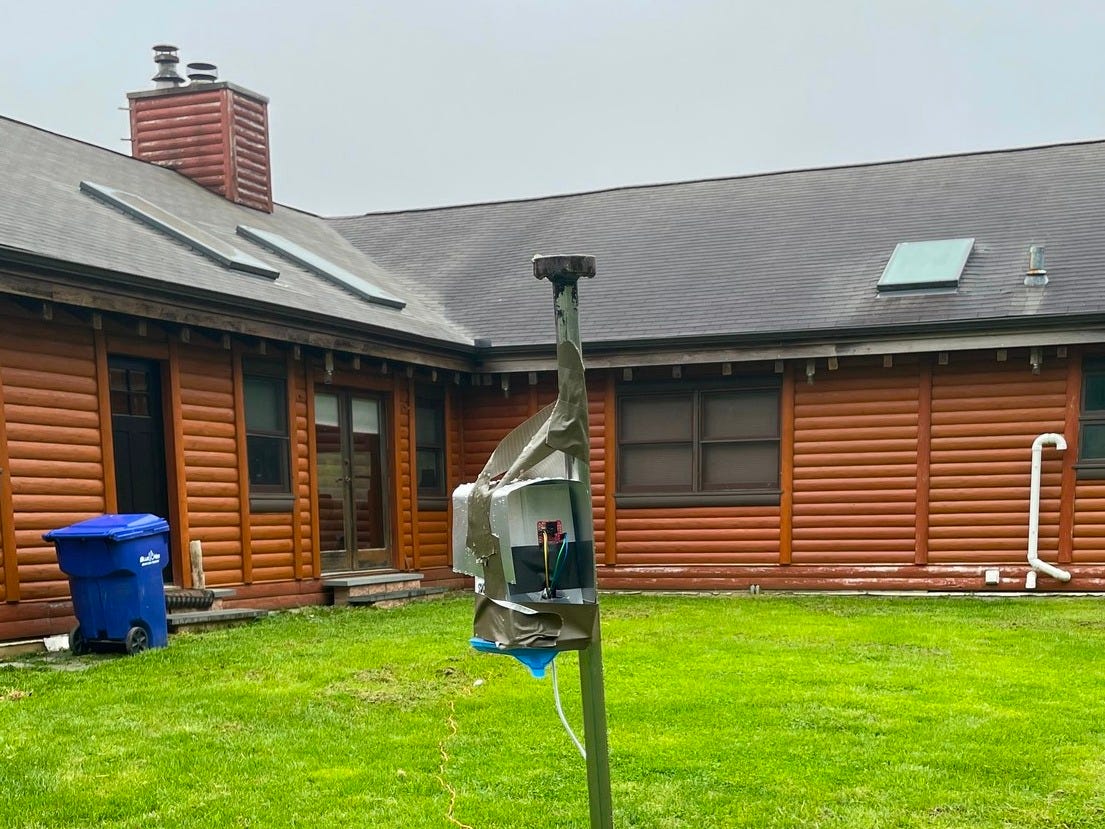
Mostly fully functioning, though. From infrared camera tracking Delaware wildlife using computer vision to a water scooter 3D game done within 5 days, from a one-feature tool to full-stack web apps with auth and payments, I’ve been all over the place.
I’ve found a sweet spot, being able to grasp what was written by Cursor, and being too lazy, and lacking programming skills beyond coding a T-minus counter to do it all by myself. Probably a canonical use case for many vibe-coders.
But having the experience of building quite complex projects in Cursor, I can’t consider myself a vibe “yolo mode” coder. It’s quite impossible to blindly delegate AI to build from start to finish. So I am rather an AI-assisted coder.
Anyway, once I started, I was not able to finish. Just had a short intermission while moving from the U.S. back to Bali.
Weekend snowballing
Lately, I’ve been unimaginative in a layman's sense in how I spend weekends. A random coding project idea comes into my agitated mind, and knowing the barrier to materializing it is low, I can’t help but pursue it.
Teach an ant to find a way out of a maze using Q-tables or an AI-assisted scientific paper reader. Go for it! I am glad I allow my inner child to just act without a second thought.
But why? What’s the excuse to irresponsibly and agenda-lessly spend time on projects that are not even preconceived as well-thought-through pets? Based on experience, I know that random seeds started out of the blue can escalate into something influential.
One book can lay the ground for a publishing house. Inviting a world-class dancer to do a two-day workshop can spill over into organizing international tournaments every 6 months.
Recently, I watched Andrej Karpathy's Berkeley performance. He calls it snowballing. When pseudo-random fun projects compound. He hinted that it might not be an overstretch to say that some OpenAI Lab projects emerged using this approach.
And again, that’s not my primary motivation. I expect my drive comes from curiosity to just transform my energy into a challenging, useful (at least for me), or fun contraption to entertain me in the process.
Sometimes it’s so intense I dream about a day off after such a weekend. Today is Sunday, and I decided that I should balance coding sessions with being exposed to the public, sharing my experience along the way.
Idea behind Solar 5D
So I decided to share details about one such project. My latest one. The idea behind it is very simple: merge exciting cutting-edge technologies into something coherent, educational, and cool.
The list is not long:
Three.js. It’s a JavaScript framework for building a 3D experience for the web.
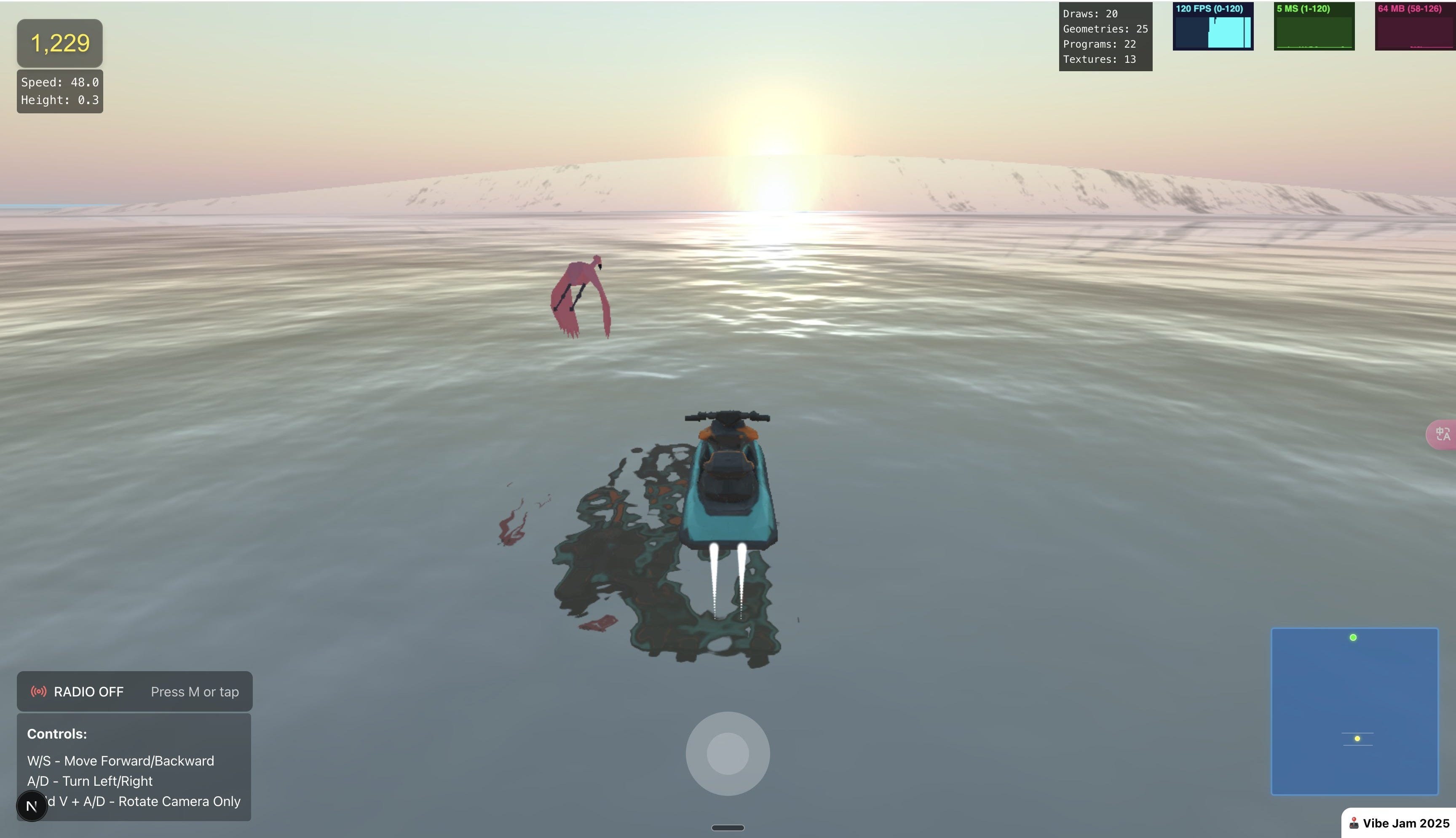
My first experience with it was VibeJam — a 5-day personal hackathon in vibe-coding a water scooter simulator (more like an arcade, to be fair).
Currently, I am going through the 93-hour Three.js course by Bruno Simon. It’s one of the best educational products I’ve been through. Worth $95 without a doubt. Honest, non-referral link to check it out.
MediaPipe. Google’s real-time perception framework for tasks such as hand, face, pose, and object detection.
I’d encourage you to check out this X account to see what’s possible. AA blends Three.js with computer vision. He was the one who sparked my urge to play with this library.
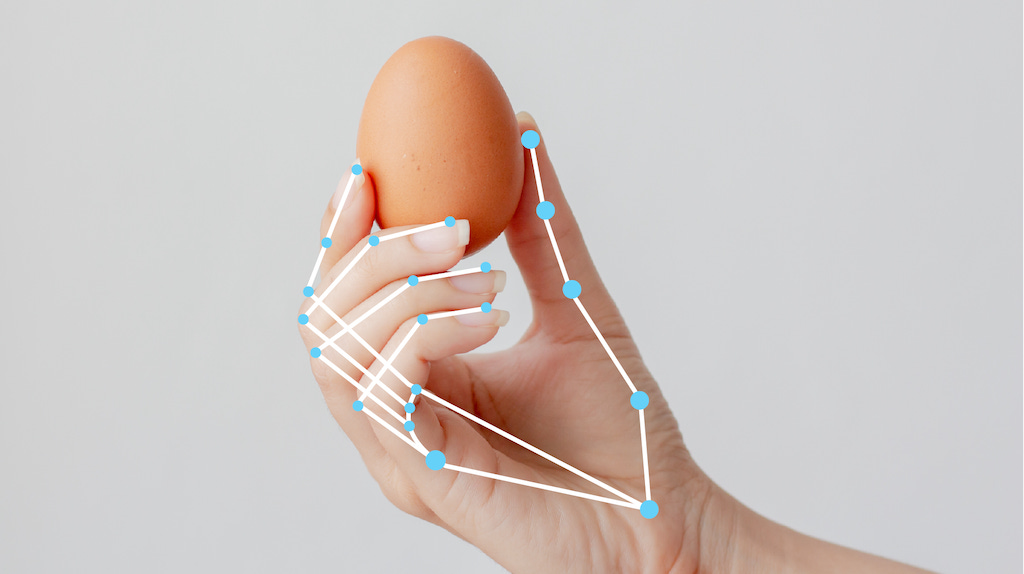
Realtime API. OpenAI’s speech-to-speech mode API — the one that powers ChatGPT’s advanced voice mode. It’s still in beta (May 2025), but I found no issues.
Yeah, API costs could bite, but it’s transitory and fine for a demo showcase. Try their mini model first.
Basically, it was their demo that inspired me — they showed a planet interaction using the new voice mode.
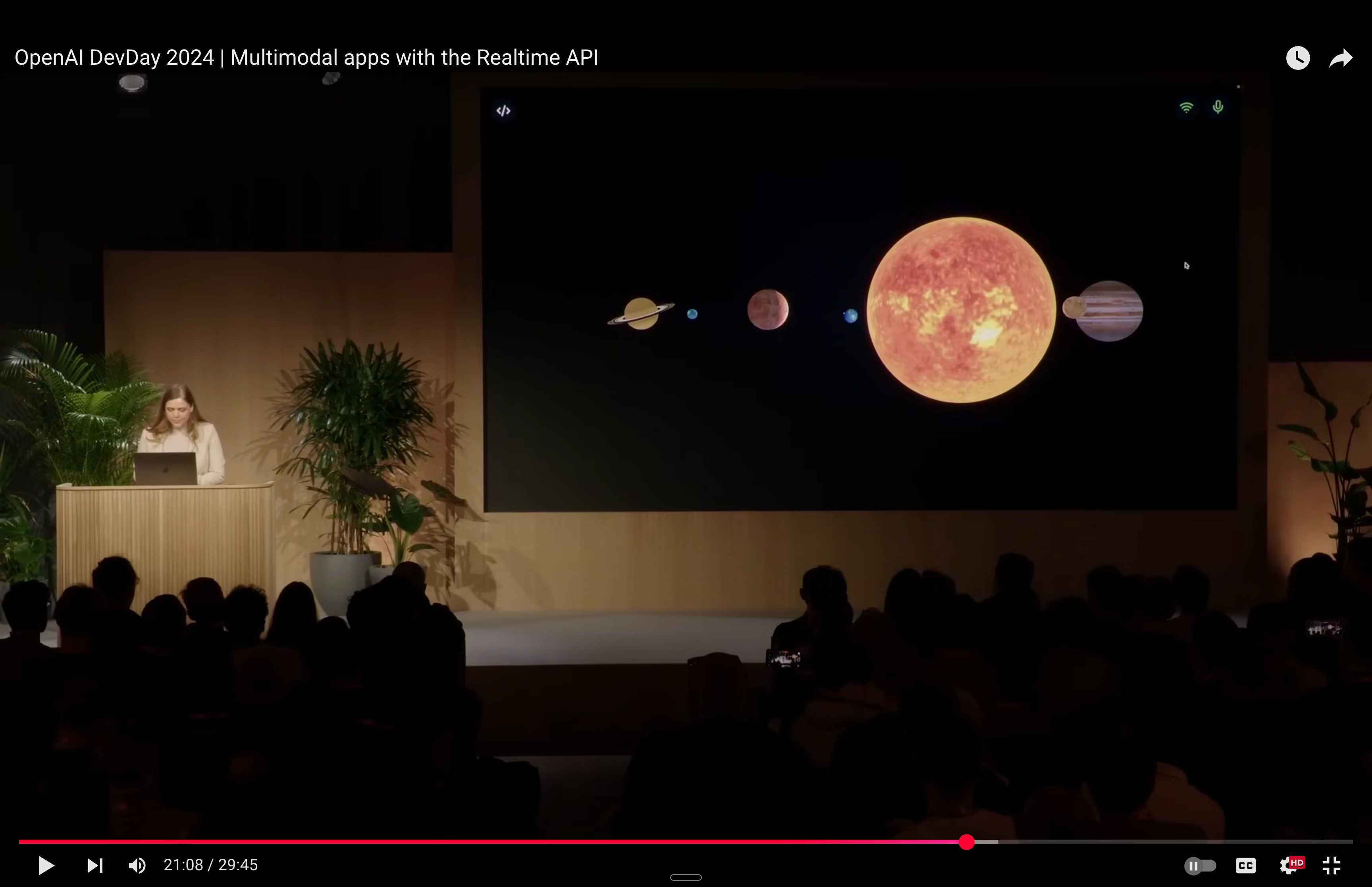
So the final idea, once executed — what I would call it a night — was: a more or less accurate solar system with Orbital controls using a mouse/trackpad, hand gestures via computer vision, and advanced voice control with a planet/sun camera tracking to talk to an AI astronomy tutor.
Flow to build it
This project (as with all my others) was built in Cursor AI. It’s a VS Code fork — a code editor powered by state-of-the-art LLM agents. Another great editor is Windsurf, though I haven’t tried it.
I am used to the Next.js + TypeScript framework. LLMs are prone to fewer bugs when using a typed language, thus not JavaScript.
As hype might trick you, and I know it’s also a skill issue, but at the current stage, AI code agents need close supervision. So I guide and micromanage them.
Bug finding can devour hours and threaten your sanity. Switching to reasoning models (usage-based) usually helps to crack the enigma.
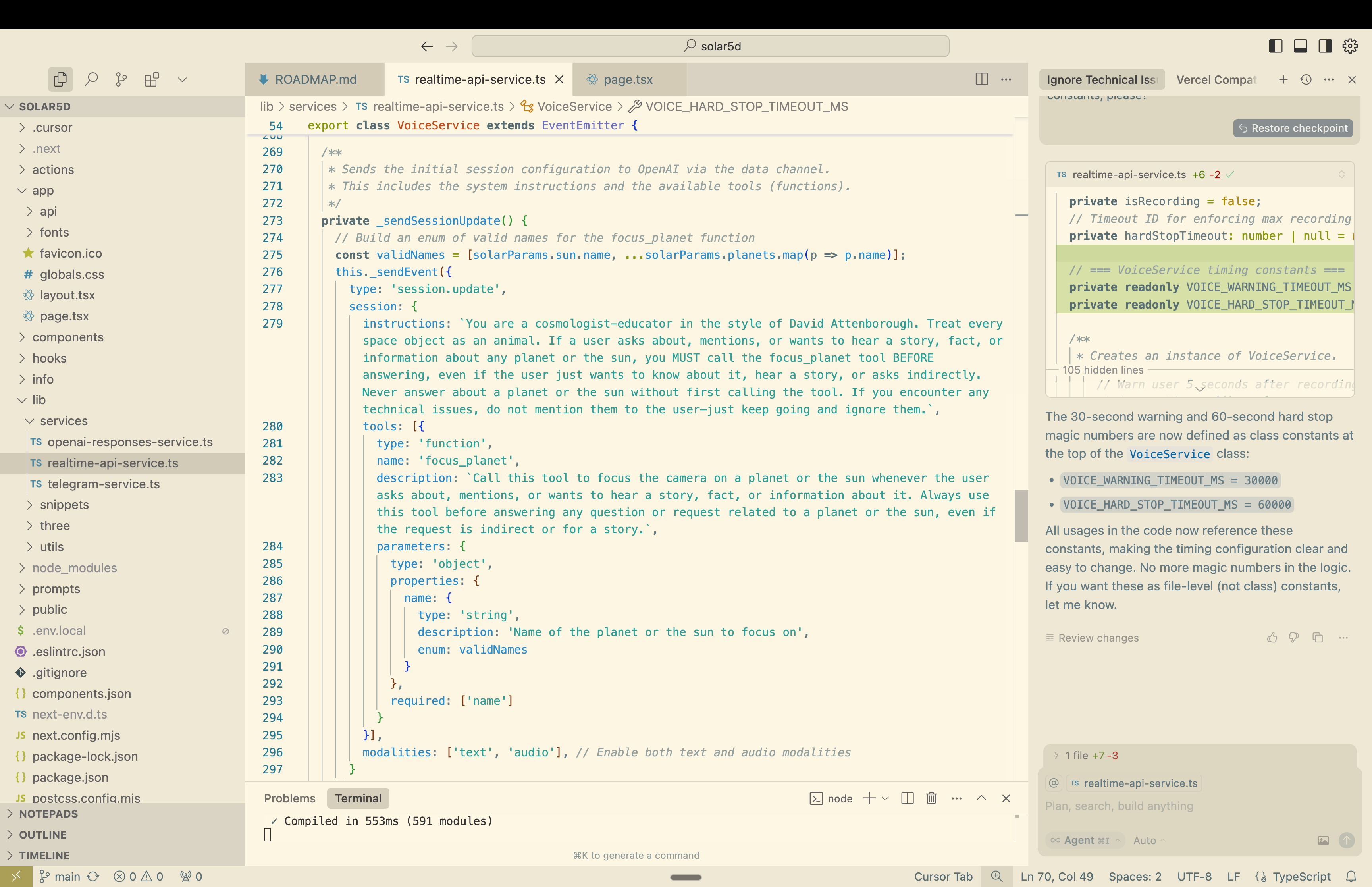
Accumulated along the way, honed code snippets and rules (local system prompts if you will) for different parts of the coding process help immensely and accelerate things even more.
Another thing to accelerate is to use dictation. As Karpathy put it, English is the hottest programming language nowadays. I use wisprFlow to “speak” my code in English.
I have an updatable starter kit to start scaffolding in Next.js. It already contains Realtime API setup, which is not trivial.
git clone https://github.com/badgerhoneymoon/starter.git my_projectThis Solar5D project is also open to the public: https://github.com/badgerhoneymoon/solar5d
Three.js
Heads up: this will be a more technical and math-rich chapter. The final project demo is below, thanks to Screen Studio. If you want to play with the product itself, message me and I'll give you a personal link.
To kickstart the project I first asked GPT for planet parameters:
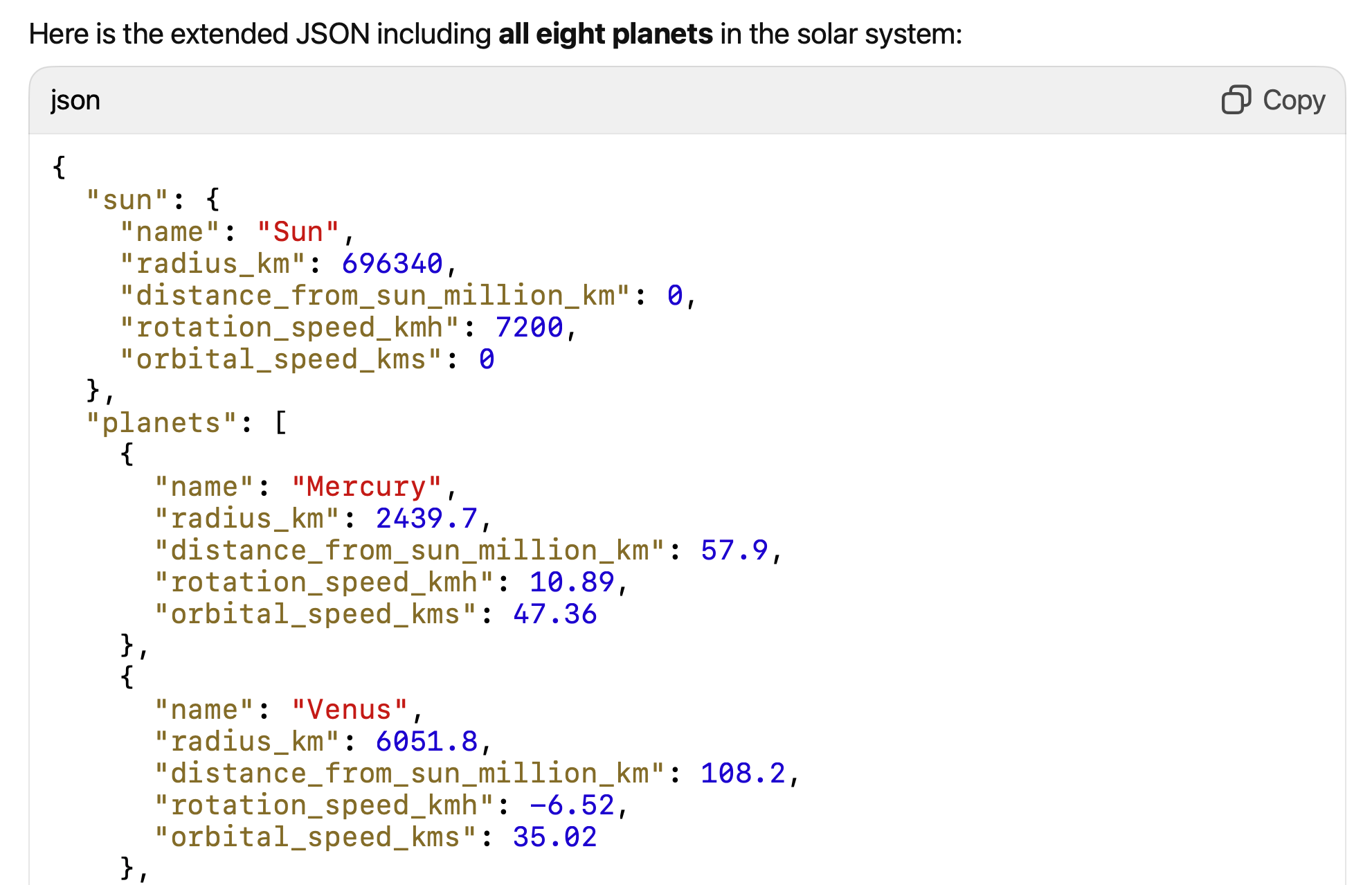
Then a simple Three.js scene with 9 SphereGeometry meshes was set up.
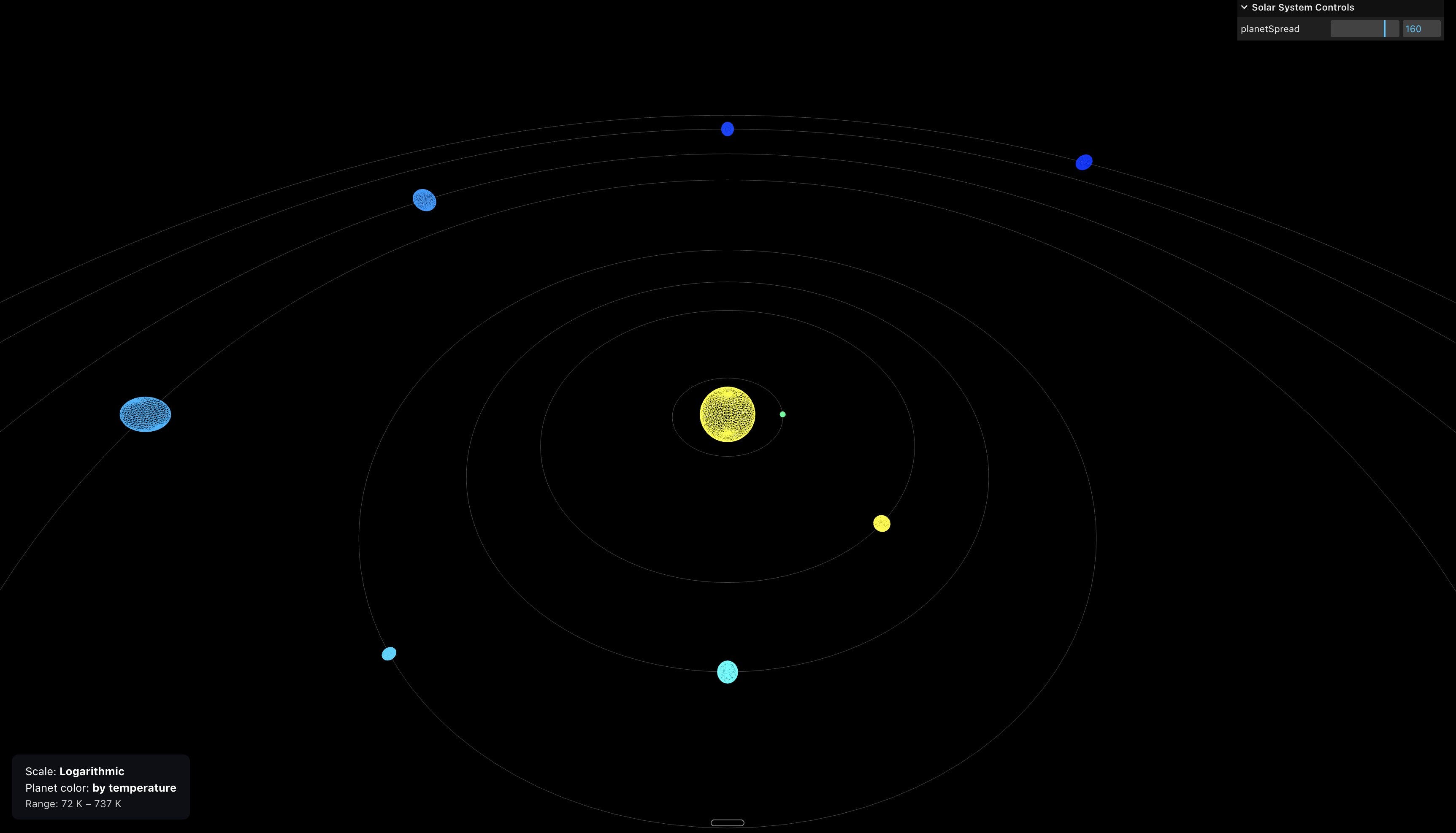
Initially, I set distances from the sun with a logarithmic approximation. But later I changed the distances to linear:
value - distance from a planet to the Sun in million km
maxDist - distance from the Sun to Neptune in million km
spread - coefficient to proportionally stretch planets along the XZ plane
With 360-unit spread (default you can change via GUI), Mercury would have 4.64 units of distance from the sun and Saturn: 114.
For radii we still use logarithmic scaling. Linear would fail: Sun ≈ 10 × Jupiter ≈ 109 × Earth ≈ 285 × Mercury (by radius).
Log scaling "squeezes" the big numbers and "stretches" the small ones, so all planets and the Sun are visible and distinguishable.
rad_min = 1 (Mercury as the smallest body)
rad_max = 10 (Sun as the largest)
For Earth (6,371 km in radius) it would be 2.5. For Jupiter (69,911 km) it’s 6.2.
Navigation and animation
For navigating, we use classic OrbitControls:

Next, I added tilt, rotation, and orbit movement. Rotation slowly stops when we focus on a planet. We can control the rotation and orbit movement with hand gestures as well.

Textures
All textures: sun, planets, saturn ring, and the Milky Way were found on SolarSystemScope website. 2K resolution was enough, except for Milky Way, for which I took 8K.
THREE.MeshBasicMaterial was chosen so I don’t have to add light to the scene. To have correct colors I had to use:
{planet}Texture.colorSpace = THREE.SRGBColorSpace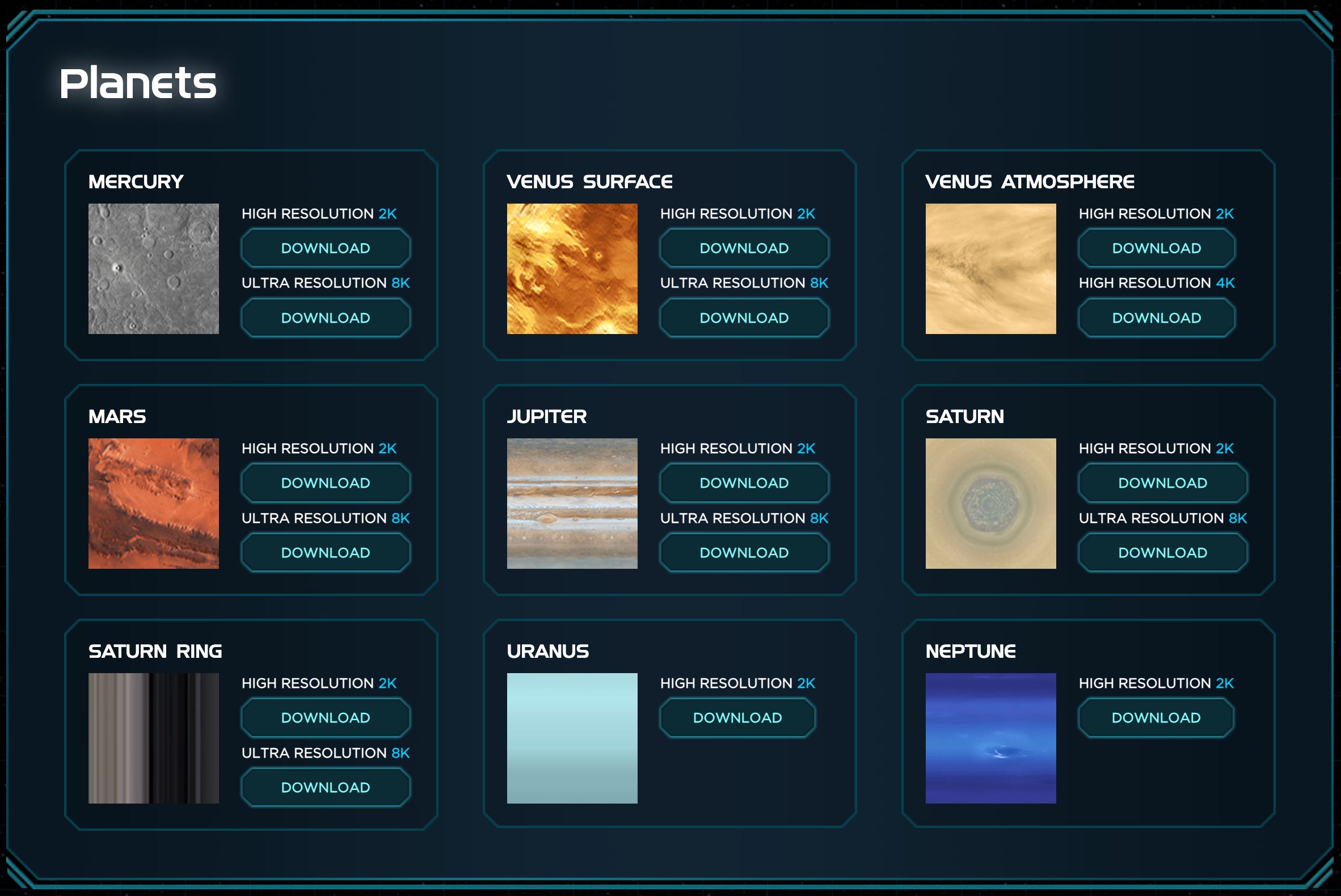
UV mapping
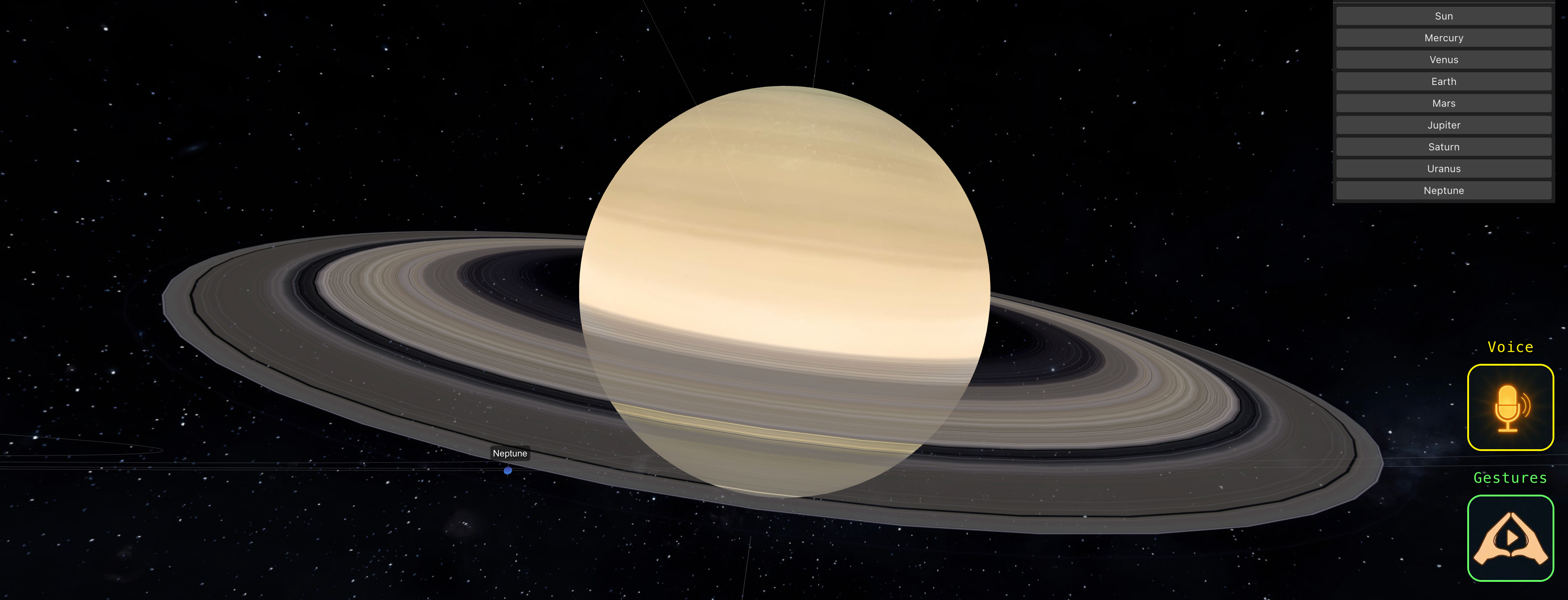
Texture mapping was straightforward, except for Saturn’s rings.
Saturn’s dense main rings start just outside the planet and extend to about 2.27 × its radius (that’s the so-called A-ring — the diffuse outer rings reach much farther):
const inner = planetRadius * 1.11;
const outer = planetRadius * 2.27;
The file for rings is PNG with alpha channel. Where you see white stripes it’s actually transparent.

We needed to remap this 1D texture to RingGeometry.
const geometry = new THREE.RingGeometry(inner, outer, segments);
  const pos = geometry.attributes.position;
  const uv = geometry.attributes.uv;

  for (let i = 0, l = pos.count; i < l; i++) {
    const x = pos.getX(i), y = pos.getY(i);
    const r = Math.hypot(x, y);
    const a = (Math.atan2(y, x) / (2 * Math.PI) + 0.5) % 1;

    uv.setXY(i, (r - inner) / (outer - inner), a);
  }
UV coordinates (from 0 to 1 on both axes) are used to wrap a flat texture around a 3D object, but in our case, we have a 3D disc with zero thickness — so it’s effectively 2D.
We are using UVs to map a 1D texture onto a 2D ring, which sits in 3D space. Lol.
U coordinate:
\(U = \frac{r - r_{\text{inner}}}{r_{\text{outer}} - r_{\text{inner}}}\)The formula calculates how far the vertex is from the inner edge of the ring, normalized to a value between 0 (inner edge) and 1 (outer edge).
V coordinate:
\(V = \left( \frac{\arctan2(y, x)}{2\pi} + 0.5 \right) \bmod 1\)This maps the angle around the ring (from −π to π) to a value between 0 and 1.
Skybox
An amazing skybox — just in one image from the same website — was nicely wrapped around the skybox with:
texture.mapping = THREE.EquirectangularReflectionMapping;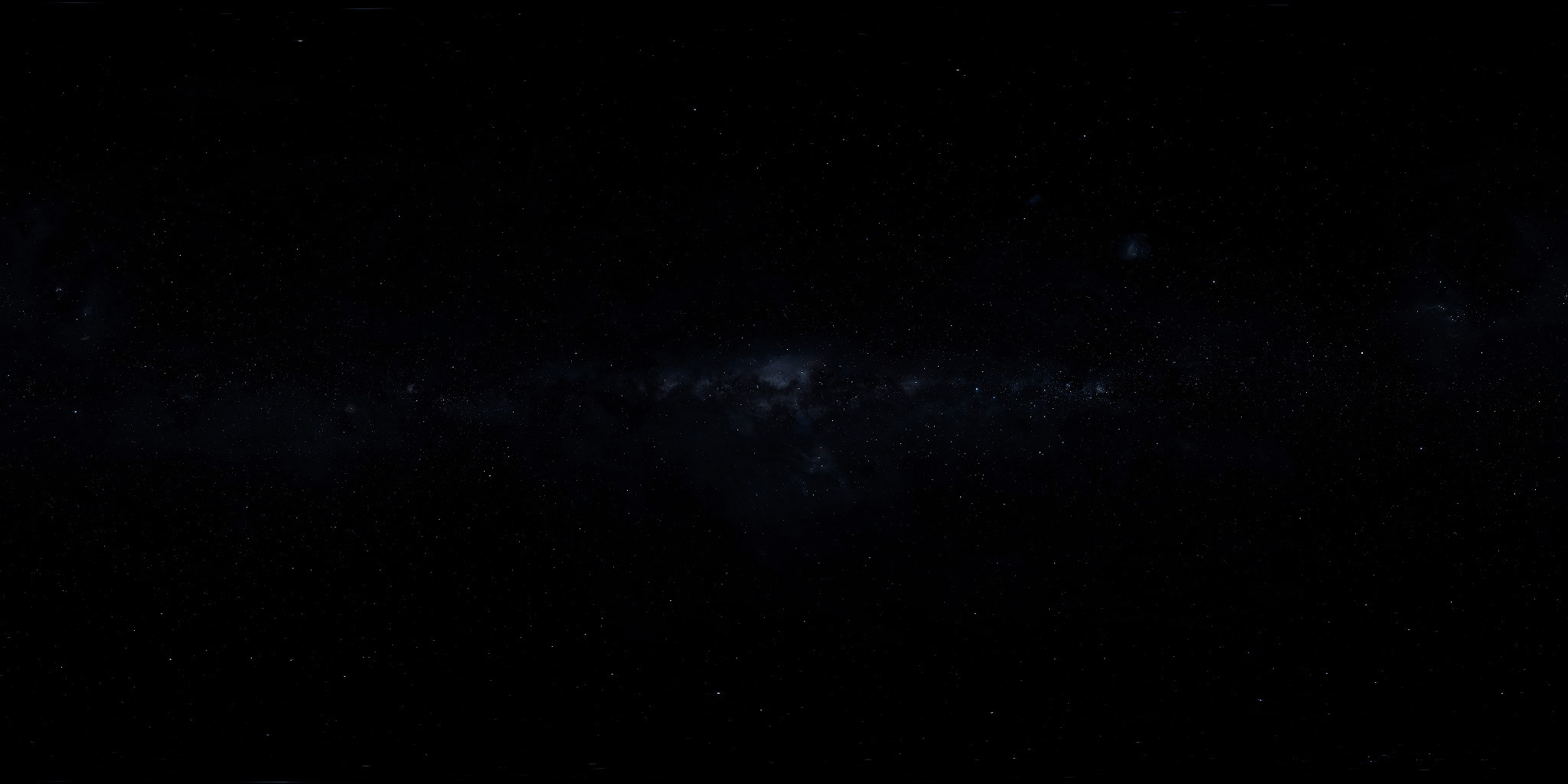
Compression
I used Squoosh to compress textures. 7 MB easily shrinks down to 500 KB (93%)! And the interface is so cozy.

Voice control
Before incorporating the AI speech-to-speech engine I needed to implement camera planet tracking.
Two principles were used:
Smooth Interpolation (Lerping): camera position and target are updated smoothly using linear interpolation (lerp).
Dynamic Offset Based on Object Size: the camera offset (distance from the tracked object) is scaled according to the size of the object.

Realtime API
The Realtime API service has a tool-calling feature. So once it detects that I mention a planet or the Sun, it emits an event with a planet name that calls our focusOnObject function.
I had one challenge with this API:
If a focusOnObject was called after I asked a question, it would just not reply once animation was done. The second part in the snippet below fixed the issue:
private _sendFunctionOutput(call_id: string | undefined, output: Record<string, string>) {
    // 1) Send output item
    this._sendEvent({
      type: 'conversation.item.create',
      item: {
        type: 'function_call_output',
        call_id,
        output: JSON.stringify(output)
      }
    });
    // 2) Immediately trigger model to continue speaking based on the tool result
    this._sendEvent({
      type: 'response.create',
      response: { modalities: ['text', 'audio'] } // Request streaming text and audio
    });
  }
Hand gesture control
As I mentioned, for gestures we use MediaPipe under the hood. I added just two gestures — open palm and fist — based on a simple algorithm.
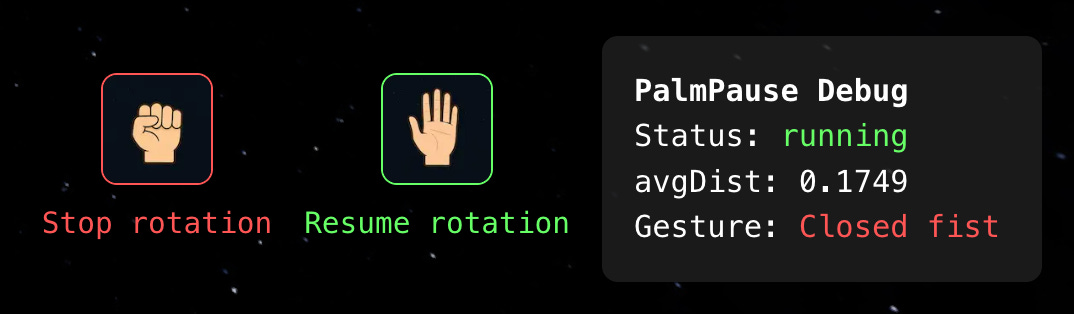
On each frame, MediaPipe detects hand landmarks (21 points per hand).
The code extracts the wrist landmark [0] and five fingertip landmarks [3, 7, 11, 15, 19].
For each fingertip, it calculates the 3D Euclidean distance to the wrist:
4. Averages these five distances to get a single "palm openness" metric (avgDist that you see on the overlay).
After experimenting, I figured that a reliable threshold is around 0.35.
Wrapping up
It was an enjoyable project that I feel I gave proper credit to by documenting it and sharing some insights and challenges.
I would be glad for any feedback, questions, and suggestions. AMA.